Redeem your purchase in the game
A vásárlás beváltása a játékban
Bought Adventure in the 13th Century on itch.io? Your purchase comes with a download key. Redeem it once in the game, on your own game account: from then on the full game and the AI storyteller (with 300 AI turns) belong to that account, on every device where you log in.
Megvetted a Kaland a XIII. században játékot az itch.io-n? A vásárláshoz letöltési kulcs tartozik. Ezt egyszer kell beváltanod a játékban, a saját játékfiókodban: onnantól a teljes játék és az MI-mesélő (300 MI-körrel) ehhez a fiókhoz tartozik, minden eszközön, ahol belépsz.
What goes where
Mit hova kell másolni?
the email from itch.io opens the same page
the whole address, or just the key after /download/
az itch.io e-mailje ugyanezt az oldalt nyitja meg
a teljes cím, vagy csak a kulcs a /download/ után
Step by step
Lépésről lépésre
On the screenshots, the red frame and the number show where to look and click.
A képeken a piros keret és a szám mutatja, hova nézz és kattints.
-
Buy the game on itch.io
Vásárlás az itch.io-n
Open the game's page at gonorthgames.itch.io/kaland and click Buy Now. itch.io handles the payment (it is the seller; it sends the receipt and handles refunds).
Nyisd meg a játék oldalát: gonorthgames.itch.io/kaland, és kattints a Buy Now gombra. A fizetést az itch.io intézi (ő az eladó; ő küldi a nyugtát, és ő kezeli a visszatérítést).

After paying, itch.io takes you to your download page. Its address contains your key:
Fizetés után az itch.io a letöltési oldaladra visz. Ennek a címében van a kulcsod:
https://gonorthgames.itch.io/kaland/download/<KEY><KULCS>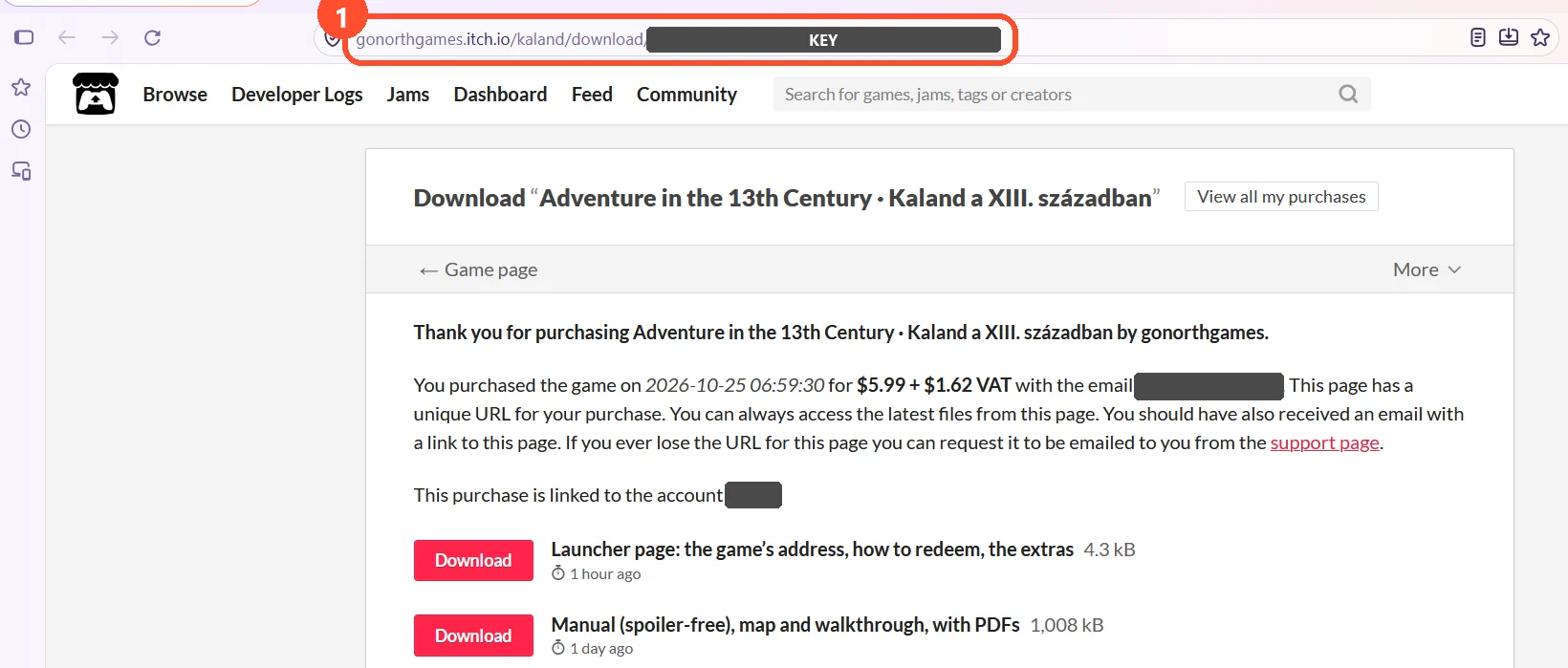
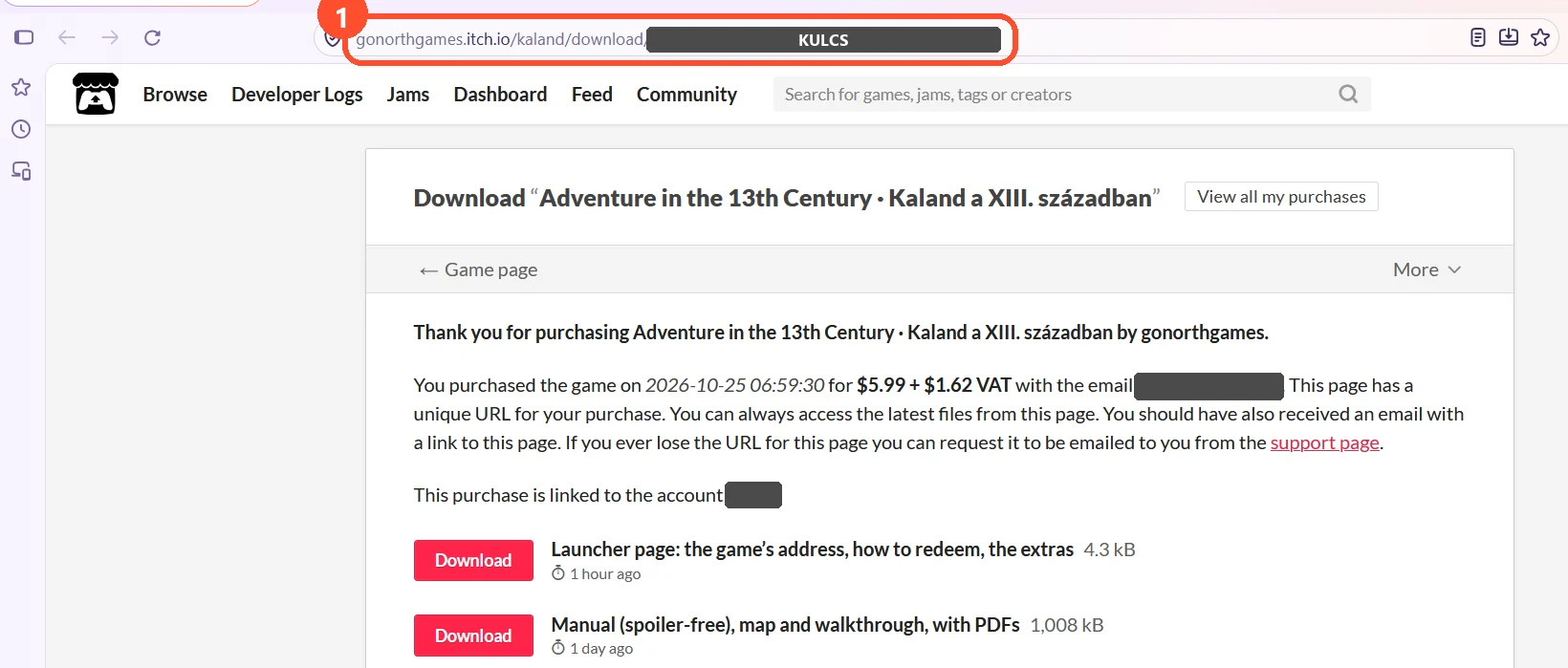
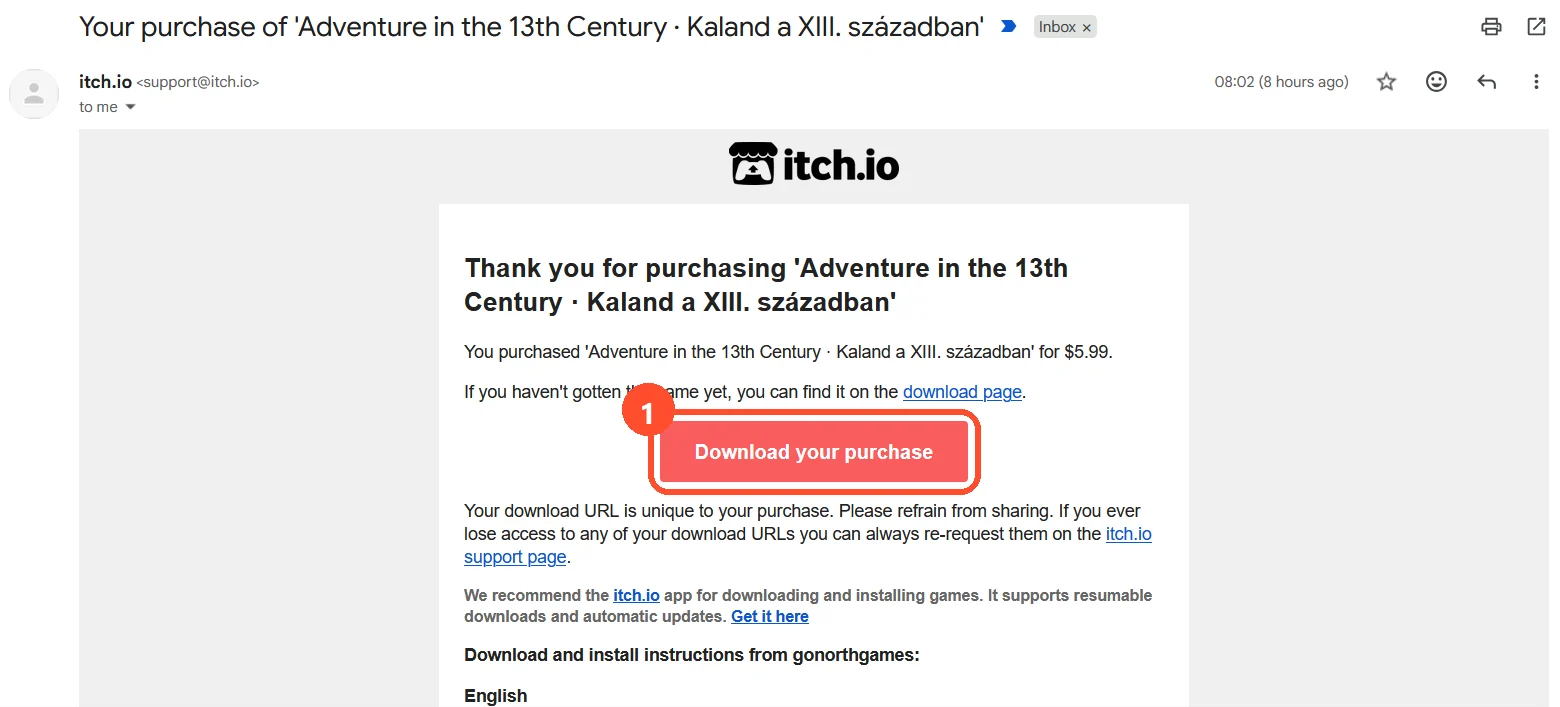
The address bar (1): the part after /download/is your key. On the picture the key, the email address and the account name are hidden.A címsor (1): a /download/utáni rész a kulcsod. A képen a kulcs, az e-mail-cím és a fióknév ki van takarva.The download page also has the extras (the manual, the original 1992 program); you do not need them to play in the browser – you only need the page's address. itch.io also sends you an email: its Download your purchase button (1) opens the same page, so you can find it later too.
A letöltési oldalon az extrák is megvannak (a kézikönyv, az eredeti 1992-es program); a böngészős játékhoz ezek nem kellenek, csak az oldal címére lesz szükséged. Az itch.io e-mailt is küld: a Download your purchase gombja (1) ugyanezt az oldalt nyitja meg, így később is megtalálod.
Keep the key to yourself: do not post it in comments or public places.
A kulcsot tartsd meg magadnak: ne tedd ki kommentbe vagy nyilvános helyre.
-
Open the game and log in
Nyisd meg a játékot, és lépj be
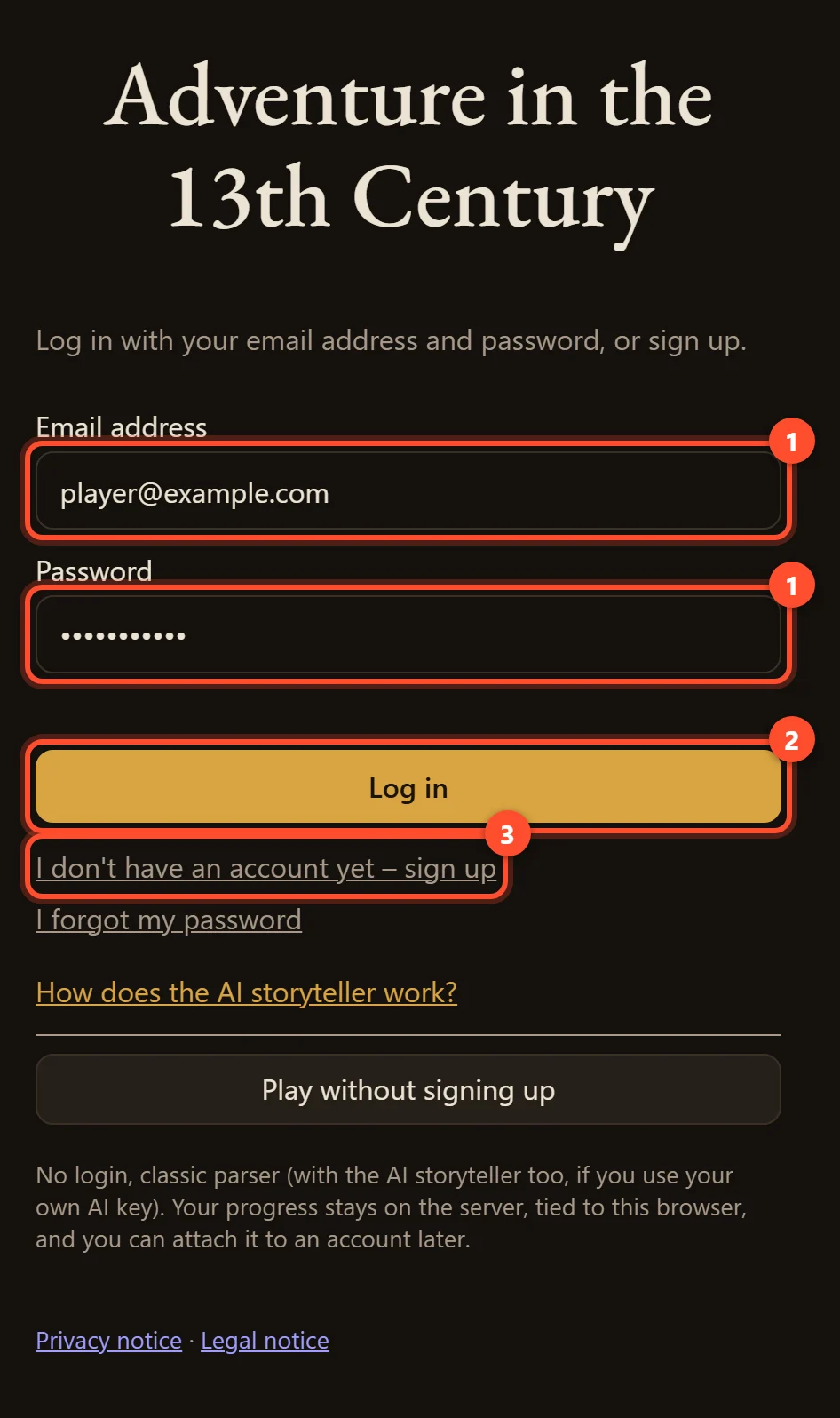
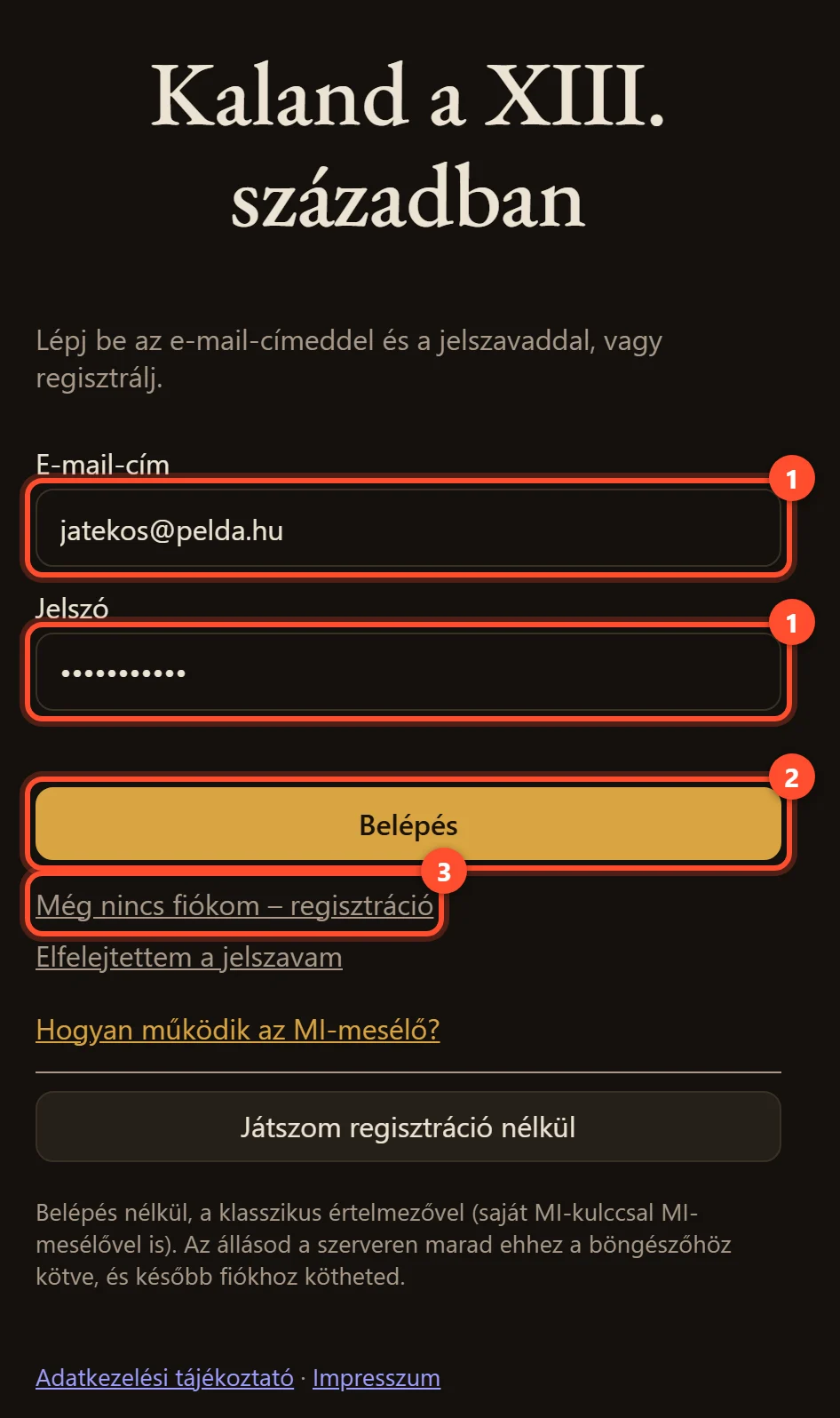
Open kaland.gonorthgames.com. If you already have a game account, enter your email address and password (1) and click Log in (2). If not, choose I don't have an account yet – sign up (3). If you then get a confirmation email, click the link in it, then log in.
Nyisd meg: kaland.gonorthgames.com. Ha már van játékfiókod, add meg az e-mail-címedet és a jelszavadat (1), majd kattints a Belépés gombra (2). Ha még nincs, válaszd a Még nincs fiókom – regisztráció linket (3). Ha ezután megerősítő e-mailt kapsz, kattints a benne lévő linkre, utána lépj be.
Playing as a guest? Click Save your progress (on the start screen or in the menu) and sign up or log in: your guest game moves to the account, nothing is lost. The purchase can only be redeemed on an account.
Vendégként játszol? Kattints a Mentsd el az állásod gombra (a kezdőképernyőn vagy a menüben), és regisztrálj vagy lépj be: a vendég-állásod átkerül a fiókba, semmi nem vész el. A vásárlást csak fiókban lehet beváltani.
Use the account you want to play with: the purchase will belong to this account.
Azzal a fiókkal lépj be, amelyikkel játszani szeretnél: a vásárlás ehhez a fiókhoz fog tartozni.
-
Find the “Already bought it?” field
Keresd meg a „Már megvetted?” mezőt
You can reach it in two ways:
Kétféleképpen éred el:
a) At the end of the demo – it opens by itself
a) A demó végén – magától megnyílik
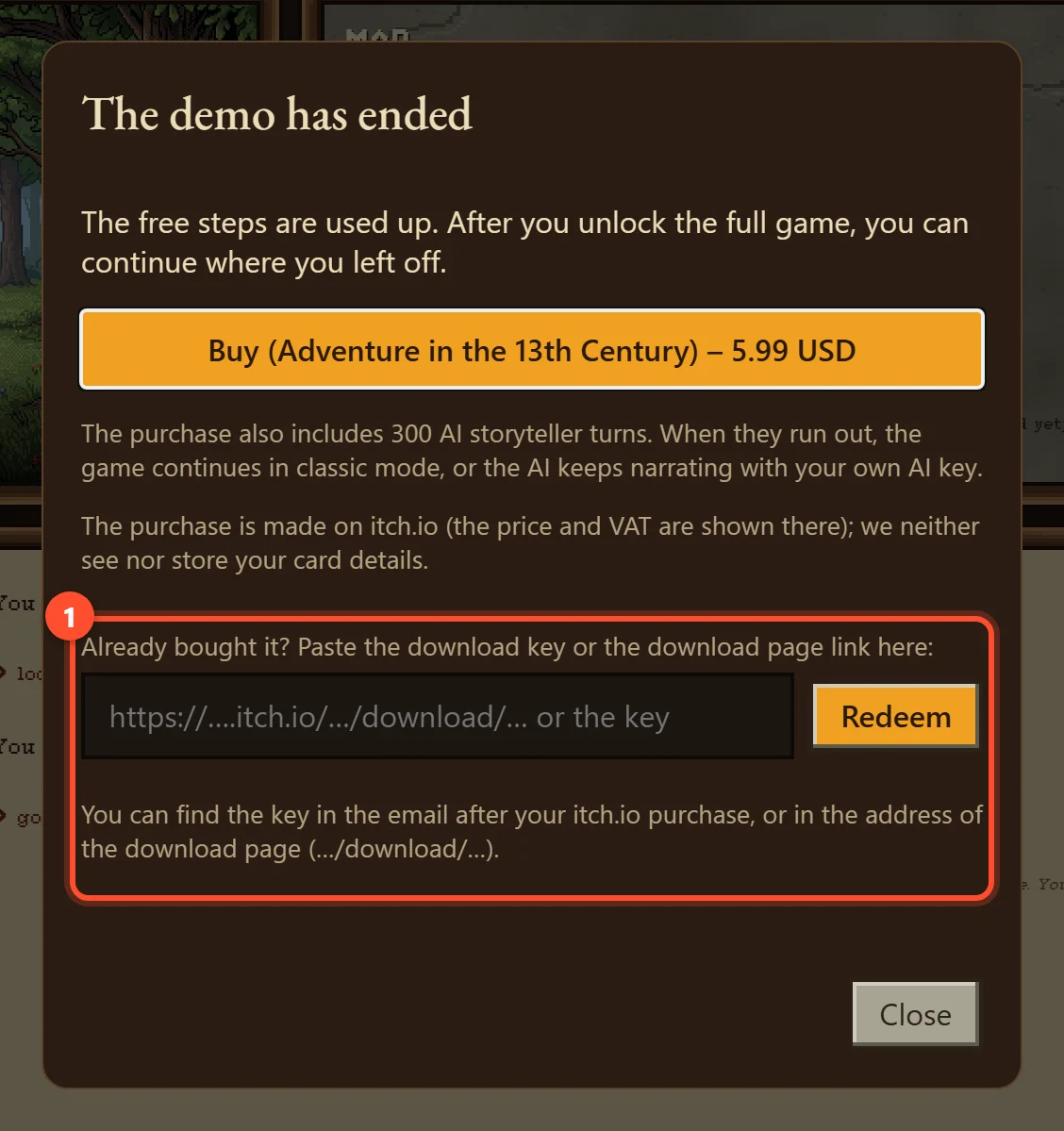
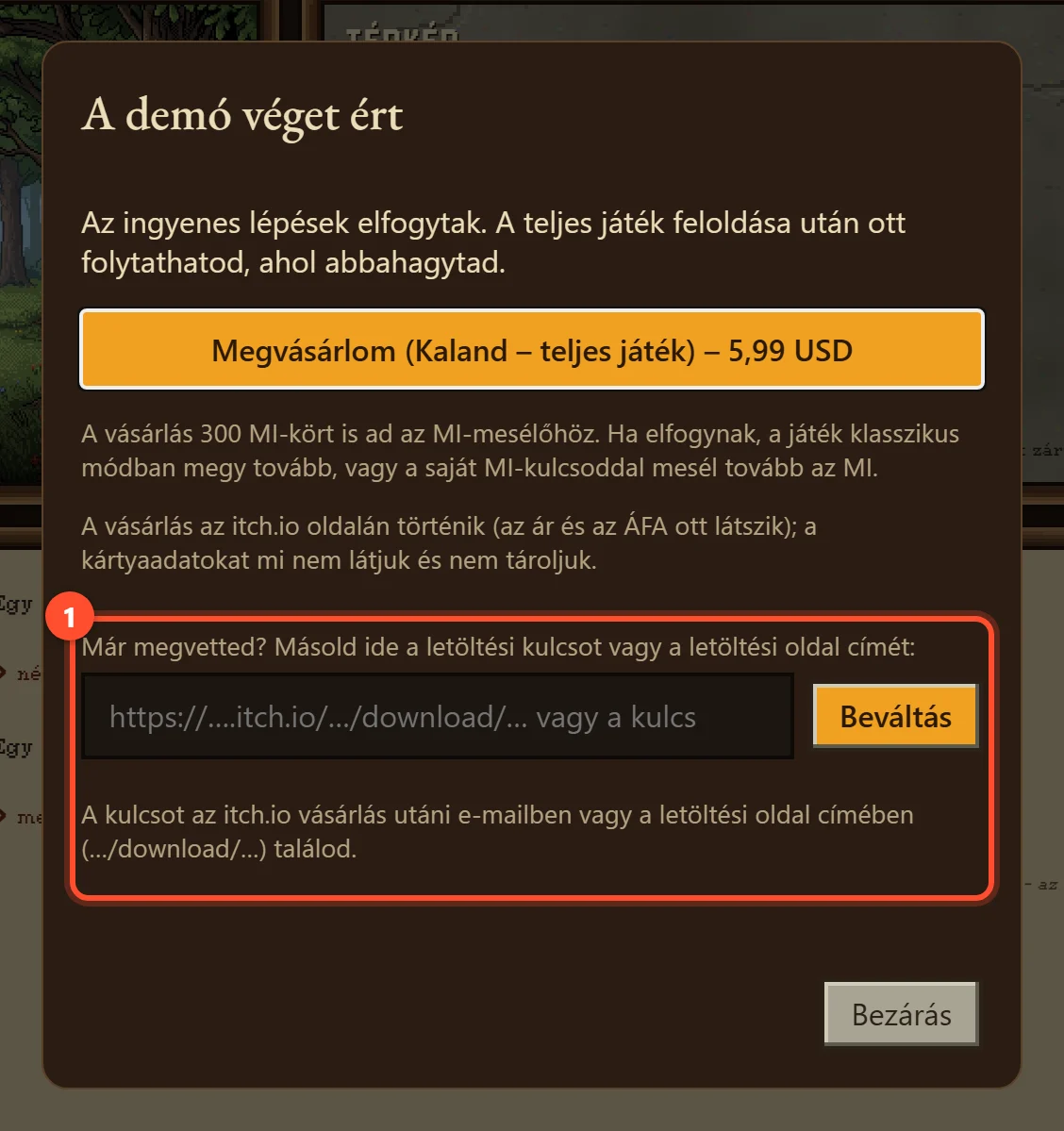
When the free part of the game is over, the The demo has ended window appears. The field is at the bottom (1). (The Buy button above it takes you to the itch.io page from step 1.)
Amikor a játék ingyenes része véget ér, megjelenik A demó véget ért ablak. A mező az alján van (1). (A fölötte lévő Megvásárlom gomb az 1. lépés itch.io-oldalára visz.)
b) Any time – from the menu
b) Bármikor – a menüből
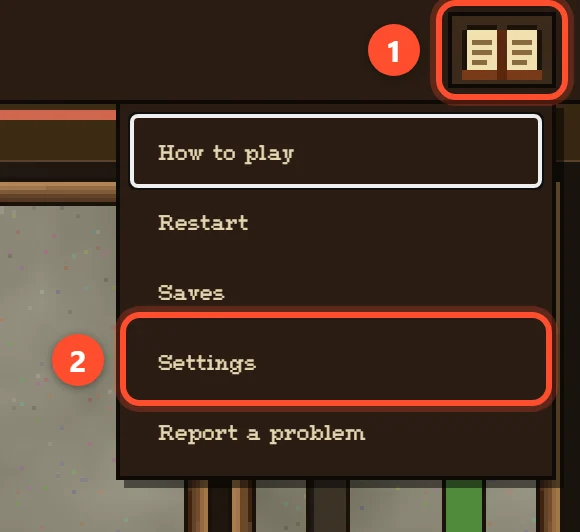
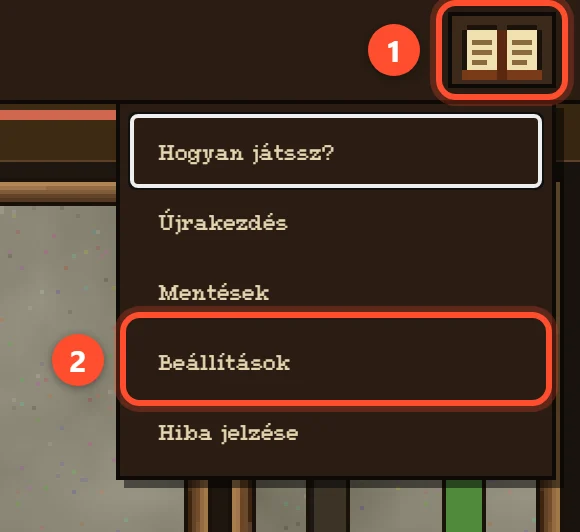
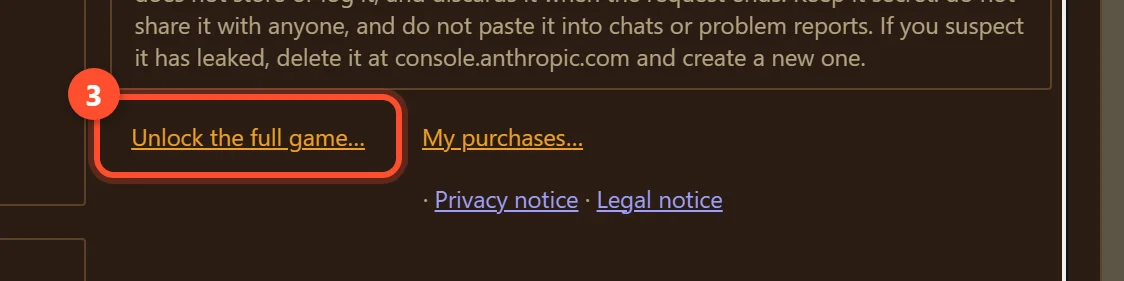
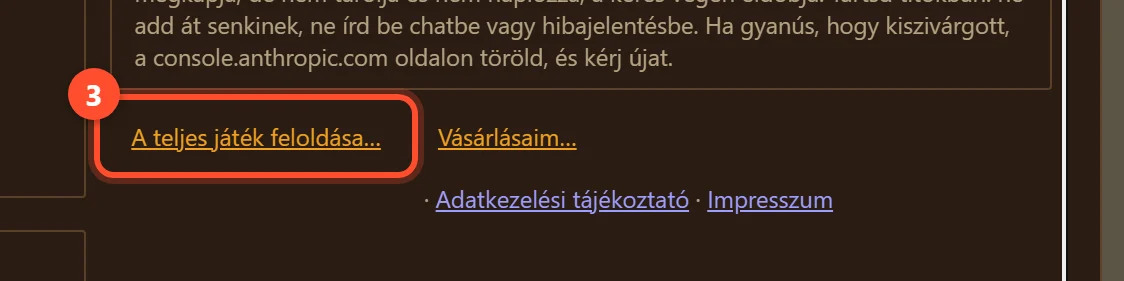
Bought it before the demo ended? Open the menu with the book icon in the top right corner (1), choose Settings (2), scroll to the bottom of the window and click Unlock the full game… (3). The same window opens, with the field.
A demó vége előtt vetted meg? Nyisd meg a menüt a jobb felső sarokban lévő könyvvel (1), válaszd a Beállítások pontot (2), görgess az ablak aljára, és kattints ide: A teljes játék feloldása… (3). Ugyanez az ablak nyílik meg, benne a mezővel.
-
Paste the address and click Redeem
Illeszd be a címet, és kattints a Beváltás gombra
- On the itch.io download page, click the browser's address bar and copy the whole address (Ctrl+C, on a Mac ⌘+C). If you start from the email, click Download your purchase and copy the address of the page that opens.
- Paste it into the game's field (1) (Ctrl+V / ⌘+V; on a phone, long-press the field and tap Paste).
- Click Redeem (2).
- Az itch.io letöltési oldalán kattints a böngésző címsorába, és másold ki a teljes címet (Ctrl+C, Macen ⌘+C). Ha az e-mailből indulsz, kattints a Download your purchase gombra, és a megnyíló oldal címét másold ki.
- Illeszd be a játék mezőjébe (1) (Ctrl+V / ⌘+V; telefonon tartsd az ujjad a mezőn, és válaszd a Beillesztést).
- Kattints a Beváltás gombra (2).
It also works if you paste only the key (the part after
/download/). Spaces before or after it do not matter.Akkor is működik, ha csak a kulcsot illeszted be (a
/download/utáni részt). Az előtte vagy utána lévő szóköz nem számít.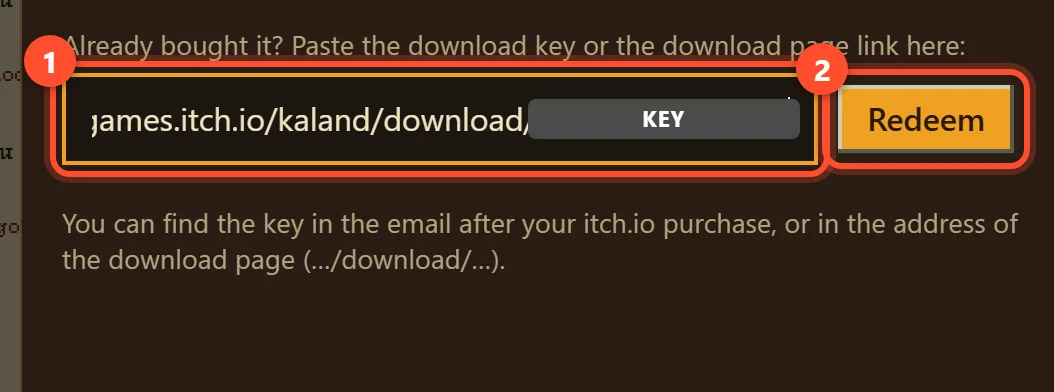
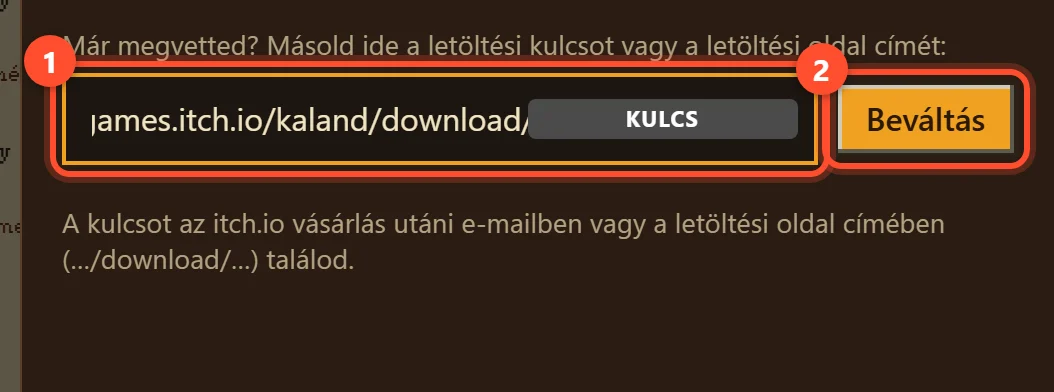
The key is hidden on the picture; in the game you will see your own key there. A képen a kulcs ki van takarva; a játékban ott a saját kulcsodat látod. -
Done – keep playing
Kész – játssz tovább
After a moment you will see
Thank you! Purchase redeemed: …
under the field, together with the 300 AI storyteller turns you got. The window closes by itself, and you can continue exactly where you left off: your progress and saves are kept.Egy pillanat múlva a mező alatt ez jelenik meg:
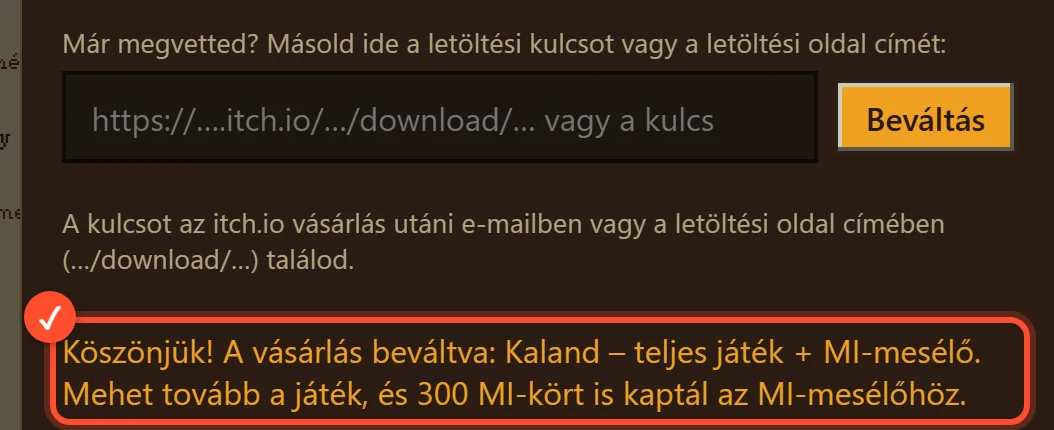
Köszönjük! A vásárlás beváltva: …
, és az is, hogy 300 MI-kört kaptál az MI-mesélőhöz. Az ablak magától bezárul, és ott folytathatod, ahol abbahagytad: az állásod és a mentéseid megmaradnak.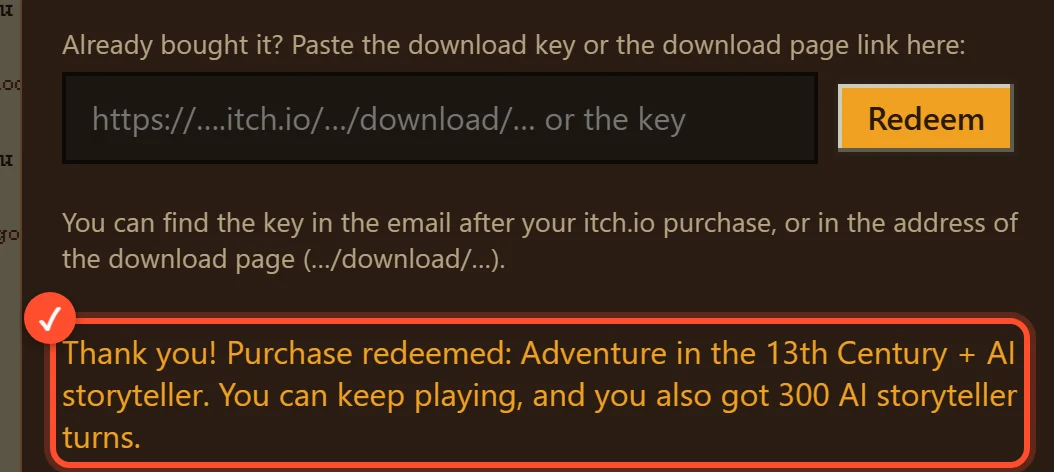
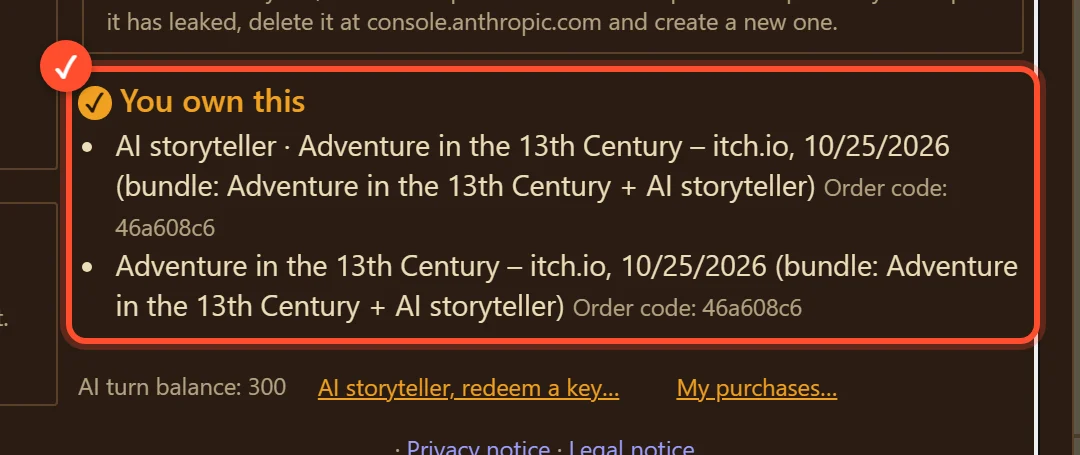
Your purchase is also listed in Settings under ✓ You own this, with your AI turn balance and the order code (My purchases…).
A vásárlásod a Beállítások ablakban is látszik, a ✓ Megvásároltad alatt, az MI-kör egyenleggel és a megrendelés-kóddal (Vásárlásaim…).
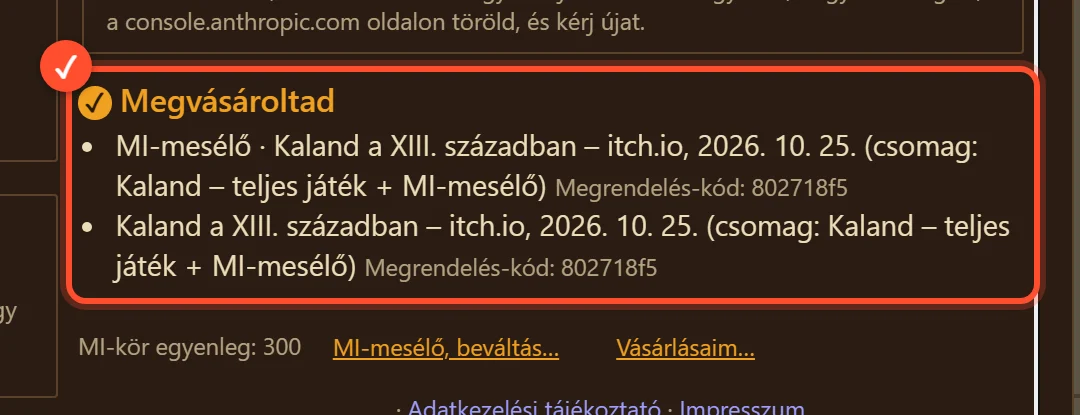
One key, one game account. A key can be redeemed on one game account only; after that it belongs to that account. On another computer or phone, just log in with the same account – you do not need to redeem it again. Redeeming it again on the same account does no harm (
You have already redeemed this purchase on this account
).Egy kulcs = egy játékfiók. Egy kulcs csak egy játékfiókban váltható be, utána ahhoz a fiókhoz tartozik. Másik gépen vagy telefonon egyszerűen lépj be ugyanazzal a fiókkal – nem kell újra beváltanod. Ha ugyanabban a fiókban újra beváltod, az sem baj (
Ezt a vásárlást már beváltottad ebben a fiókban
). -
If something goes wrong
Ha valami nem sikerül
The message appears under the field. The most common ones:
Az üzenet a mező alatt jelenik meg. A leggyakoribbak:
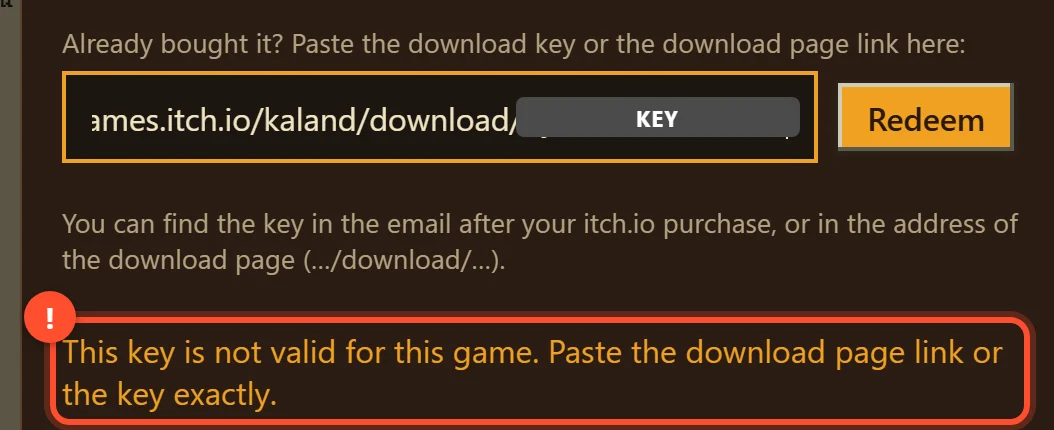
This key is not valid for this game. Paste the download page link or the key exactly.
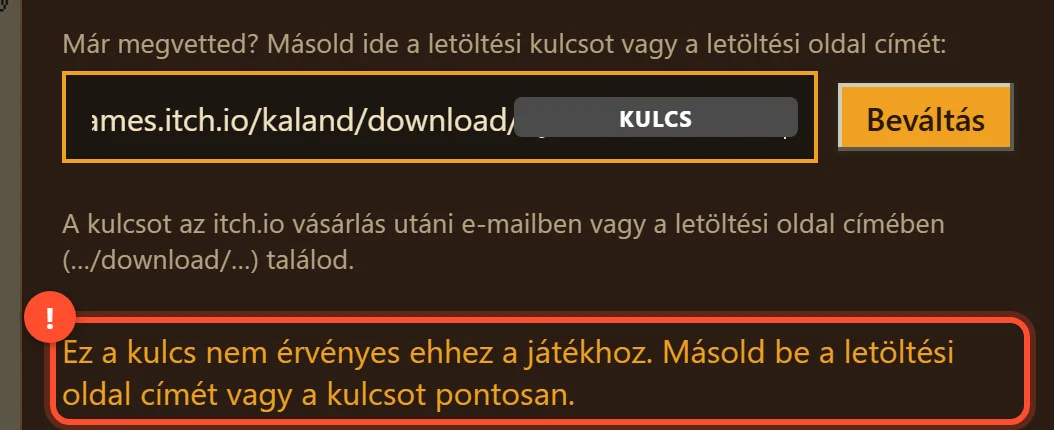
Ez a kulcs nem érvényes ehhez a játékhoz. Másold be a letöltési oldal címét vagy a kulcsot pontosan.
Why: part of the address or the key is missing, or something else got pasted with it.
Miért: a cím vagy a kulcs egy része lemaradt, vagy valami más is bekerült mellé.
What to do: copy the whole address again from the address bar of the download page or from the itch.io email, and paste it once more.
Teendő: másold ki újra a teljes címet a letöltési oldal címsorából vagy az itch.io e-mailjéből, és illeszd be még egyszer.
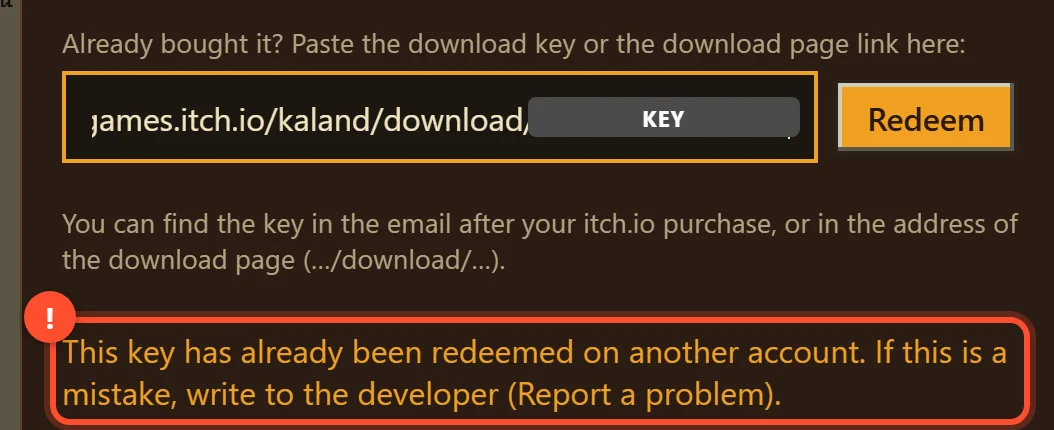
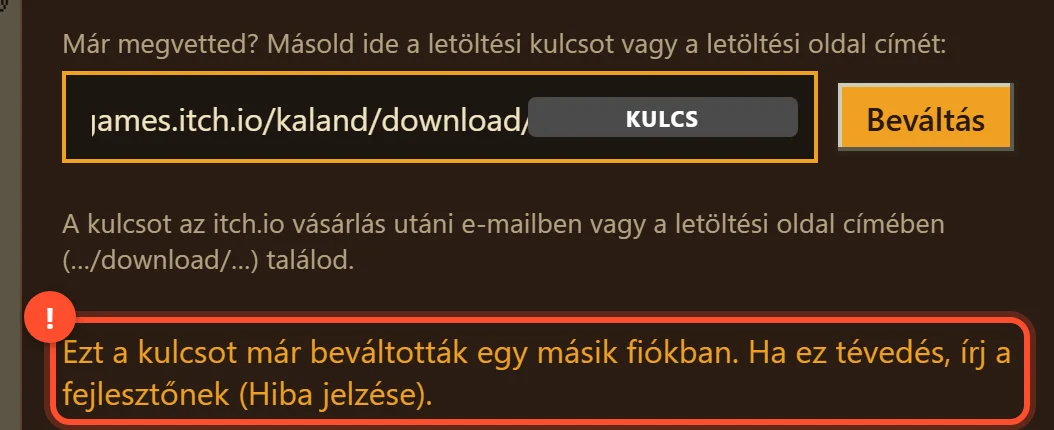
This key has already been redeemed on another account. If this is a mistake, write to the developer (Report a problem).
Ezt a kulcsot már beváltották egy másik fiókban. Ha ez tévedés, írj a fejlesztőnek (Hiba jelzése).
Why: the key was already redeemed on a different game account – for example you redeemed it earlier with another email address.
Miért: a kulcsot már beváltották egy másik játékfiókban – például korábban egy másik e-mail-címmel váltottad be.
What to do: log in with the account you redeemed it on; the purchase is there. If you never redeemed it yourself, use Report a problem in the game's menu.
Teendő: lépj be azzal a fiókkal, amelyikben beváltottad: ott megvan a vásárlás. Ha te nem váltottad be sehol, írj a játék menüjében a Hiba jelzése ponton.
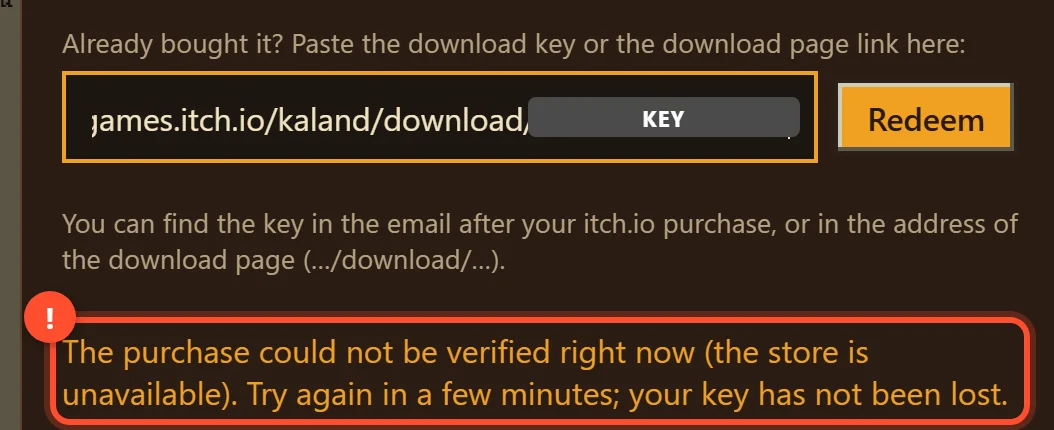
The purchase could not be verified right now (the store is unavailable). Try again in a few minutes; your key has not been lost.
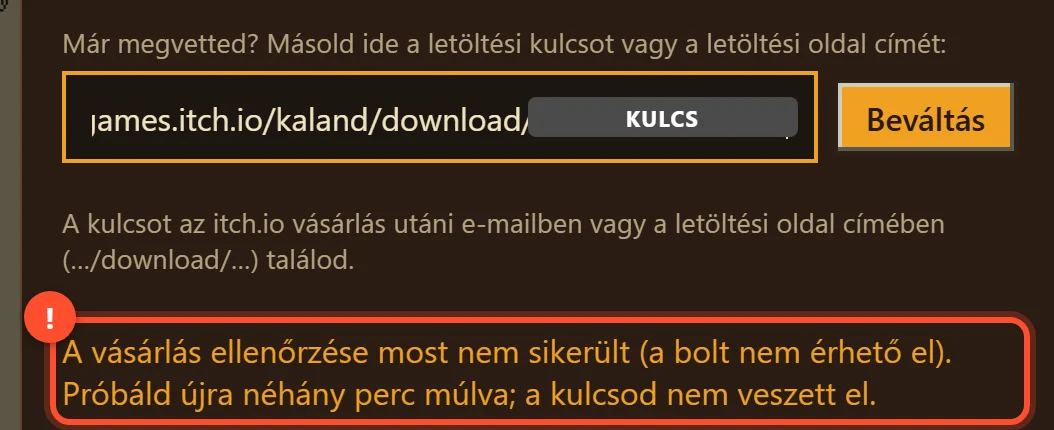
A vásárlás ellenőrzése most nem sikerült (a bolt nem érhető el). Próbáld újra néhány perc múlva; a kulcsod nem veszett el.
Why: the game checks the key with itch.io, and itch.io did not answer just now.
Miért: a játék az itch.io-nál ellenőrzi a kulcsot, és az itch.io éppen nem válaszolt.
What to do: wait a few minutes and click Redeem again. Nothing is lost in the meantime.
Teendő: várj néhány percet, és kattints újra a Beváltás gombra. Közben semmi nem vész el.
Too many failed attempts. Try again in an hour, or write to the developer.
Túl sok sikertelen próbálkozás. Próbáld újra egy óra múlva, vagy írj a fejlesztőnek.
What to do: wait an hour, then paste the address carefully once more.
Teendő: várj egy órát, utána illeszd be a címet még egyszer, figyelmesen.
This purchase was refunded or revoked, so it cannot be redeemed again. If this is a mistake, write to the developer.
Ezt a vásárlást visszatérítették vagy visszavonták, ezért nem váltható be újra. Ha ez tévedés, írj a fejlesztőnek.
Why: the purchase was refunded on itch.io. If you did not ask for a refund, let us know.
Miért: a vásárlást az itch.io-n visszatérítették. Ha te nem kértél visszatérítést, jelezd nekünk.
Still stuck?
Elakadtál?
Use Report a problem in the game's menu, or write to hello@gonorthgames.com. If you have already redeemed it, include the order code (Settings → My purchases…). Please do not send the key itself.
Írj a játék menüjében a Hiba jelzése ponton, vagy a hello@gonorthgames.com címre. Ha már beváltottad, írd meg a megrendelés-kódot is (Beállítások → Vásárlásaim…). Magát a kulcsot ne küldd el.